Your Claude Code, unchanged
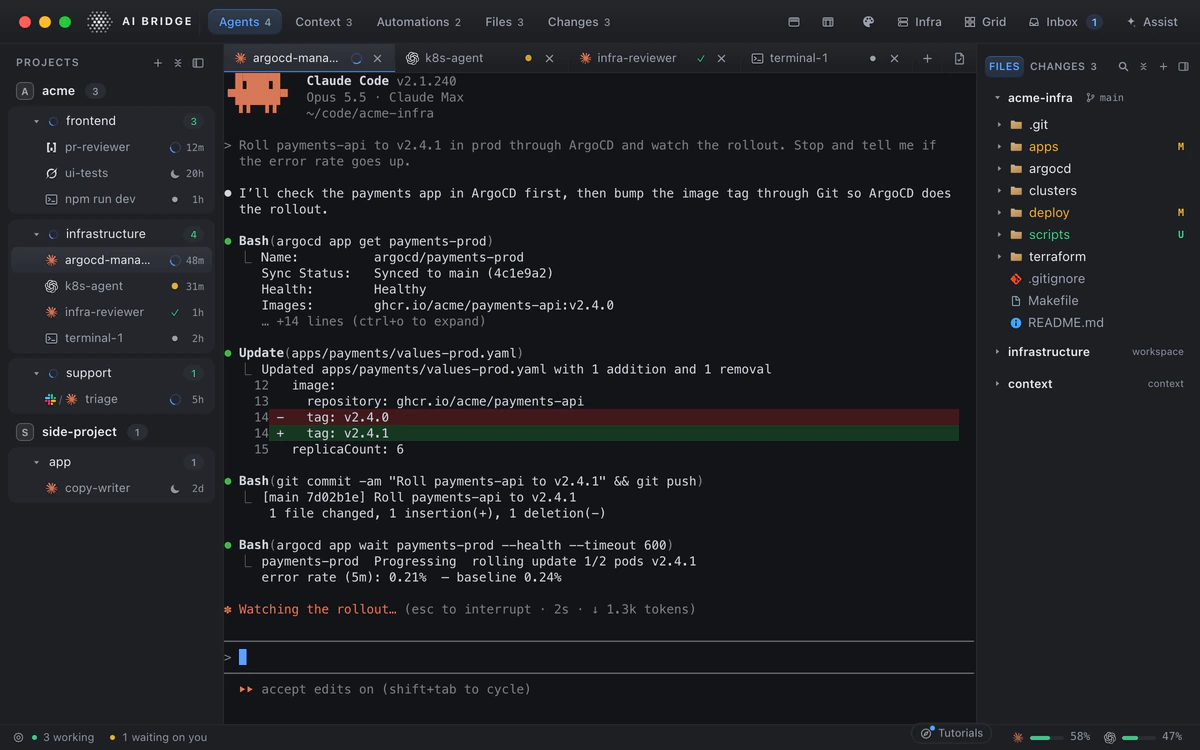
Each agent in AI Bridge is the claude command you already run, in a real terminal: the same models, the same commands and slash commands, the same subscription or API key. Nothing sits between you and Anthropic.
AI Bridge never edits your ~/.claude/settings.json. To know whether a session is working or waiting on you, it adds its settings to that one launch only, so the configuration you rely on in your own terminal stays yours.
See which session needs you
Every session shows its live state: working, waiting on you, done or asleep. When Claude Code stops at a permission prompt, the session says so in the sidebar and in the Inbox, the one list of everything that is waiting for you, so you answer it now rather than find it an hour later. That is the heart of running several agents at once.
Pick it up tomorrow where it stopped
Put a session to sleep and wake it later with its conversation resumed. Quit the app and every terminal comes back with what was on it, the full depth of it, not just the last screen. A long-running piece of work stays a session you can return to, not a tab you are afraid to close.
Organised by the job, not the repo
Sessions live in workspaces: an area of responsibility, such as the product, infrastructure or support, with its own instructions, context files, repos and tools. Start a Claude Code session in a workspace and it already knows the rules for that work. A project above them carries the rules for the whole business.
Bring in the sessions you already have
Claude Code sessions you started in a terminal before AI Bridge are not lost. Bring them in, and they take their place beside the rest, with their history.
Beside Codex, Grok and OpenCode
Claude Code is one of the four CLIs AI Bridge runs. Put Codex beside it for a second opinion, or give each CLI the job it does best, and watch them all on one Grid.
Where your Claude Code sessions can reach
- A Slack channel: a session that answers your team, with every reply waiting for you to send it.
- Your Kubernetes clusters, browsed beside the session fixing them, every change named and recorded.
- Your Postgres and MongoDB databases, asked in plain English.